> ## Documentation Index
> Fetch the complete documentation index at: https://docs.monk.io/llms.txt
> Use this file to discover all available pages before exploring further.
# Access Control & Security
> RBAC, audit logging, and team security
## What It Does
Monk controls who can do what across your organization. You define roles with fine-grained permissions, assign them to team members, and every action gets logged. That's it. No policy files, no YAML, no third-party auth layer.
## RBAC
You create custom roles. Each role gets explicit permissions over specific resources. Permissions are actions matched against resource patterns. Enforcement happens server-side, so it doesn't matter whether someone's using the extension or hitting the backend directly.
**Resource types:**
* Templates, Secrets, Images (environment-scoped)
* Builds, Clusters, Workspaces
* Org members, Org roles, Org settings
* Audit (team or self scope)
**Actions:**
* `read`, `write`, `admin`, `*`
* `deploy` (templates), `use` (secrets)
**Permission patterns:**
Glob patterns give you flexible matching:
* `/templates/**` — all templates
* `/environments/staging/secrets/**` — secrets in staging only
* `/clusters/**` — all clusters
* `/audit/team/**` — team-wide audit events
### Managing RBAC in the UI
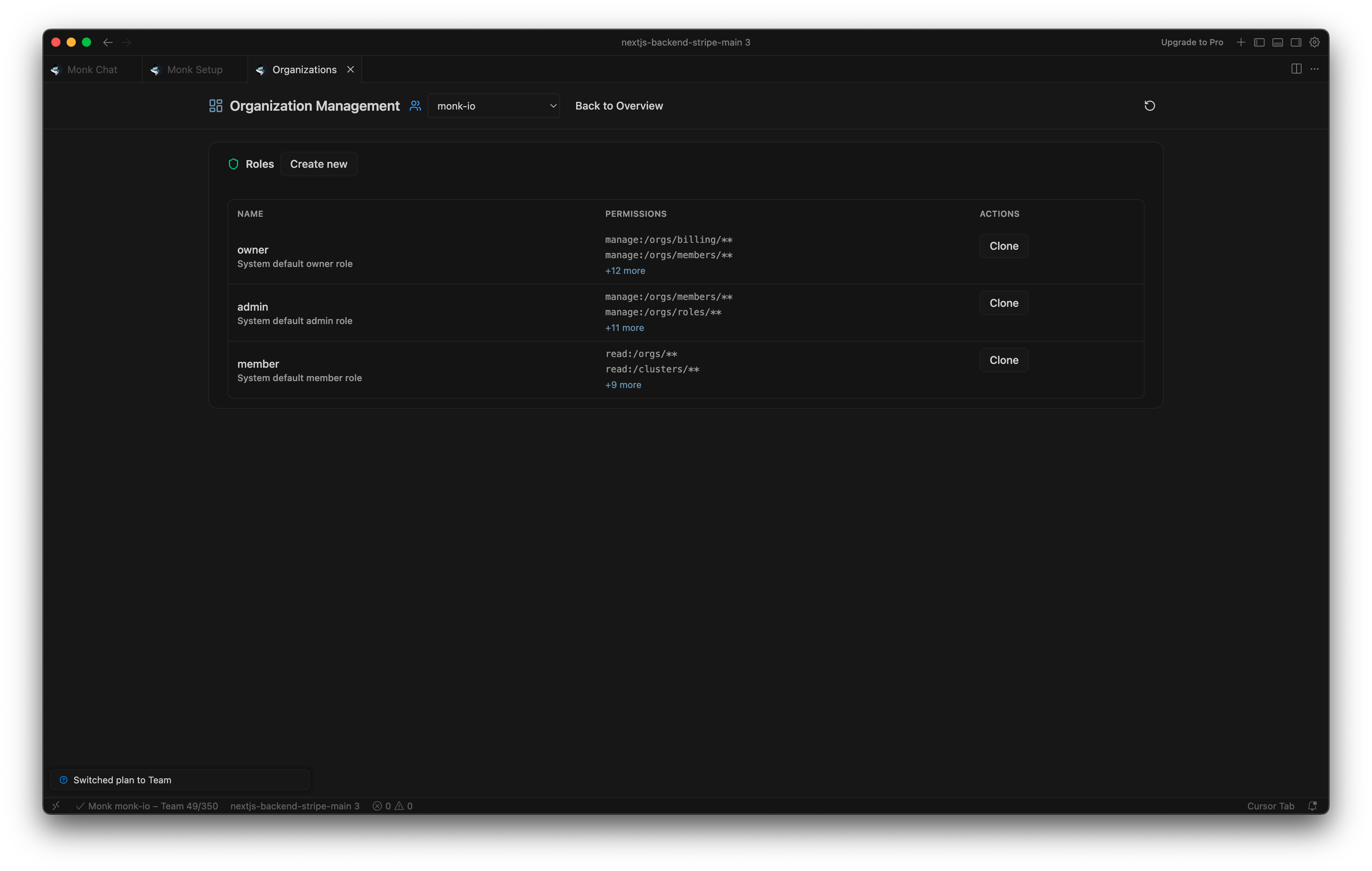
Open the **Organization panel** and click **Manage Roles**.
**Creating roles:**
1. Click **Create new**
2. Enter role name and description
3. Add permissions — select resource type, action, and optional environment
4. Click **Create Role**
**Assigning roles:**
In the Organization panel overview, use the **Assign Role** card. Pick a member, pick a role, click Assign.
**Viewing member roles:**
 The Members table shows each member's assigned roles at a glance.
### Managing RBAC via Chat
You can do all of this through chat too.
```
list roles for my organization
```
```
create a role called deployer with deploy access to /templates/**
```
```
give Alice the deployer role
```
```
does Bob have access to /secrets/**?
```
```
show my current permissions
```
## Audit Logging
Every action in your organization gets recorded. Builds, deployments, cluster operations, secret changes — all of it, with actor, status, and trace info attached.
**How to view:**
* **Welcome screen:** Recent events show up in the Team Events card.
* **Activity panel:** Open it from the Monk Dashboard for the full timeline.
Owners and admins see team-wide activity. Everyone else sees their own.
## Not Available Yet
Single sign-on, domain enforcement, and org-wide 2FA aren't available yet.
Organizations, members, and shared clusters
Environment-scoped permissions and isolation
The Members table shows each member's assigned roles at a glance.
### Managing RBAC via Chat
You can do all of this through chat too.
```
list roles for my organization
```
```
create a role called deployer with deploy access to /templates/**
```
```
give Alice the deployer role
```
```
does Bob have access to /secrets/**?
```
```
show my current permissions
```
## Audit Logging
Every action in your organization gets recorded. Builds, deployments, cluster operations, secret changes — all of it, with actor, status, and trace info attached.
**How to view:**
* **Welcome screen:** Recent events show up in the Team Events card.
* **Activity panel:** Open it from the Monk Dashboard for the full timeline.
Owners and admins see team-wide activity. Everyone else sees their own.
## Not Available Yet
Single sign-on, domain enforcement, and org-wide 2FA aren't available yet.
Organizations, members, and shared clusters
Environment-scoped permissions and isolation