> ## Documentation Index
> Fetch the complete documentation index at: https://docs.monk.io/llms.txt
> Use this file to discover all available pages before exploring further.
# The Local Dashboard
> Where you approve actions and enter secrets — never in agent chat
The Monk plugin runs a local companion, `monk-agent`, and it serves a dashboard in your browser at `http://127.0.0.1:7419` (loopback only; nothing is exposed to the network). This is where everything sensitive happens: approvals, credentials, and secrets go through this UI so they are never pasted into agent chat and never visible to the LLM.
You rarely open it by hand. When Monk needs something from you — a cloud API key during your first deployment, an approval before creating VMs — it opens the dashboard at the right form. You can also keep it open in a tab while the agent is running.
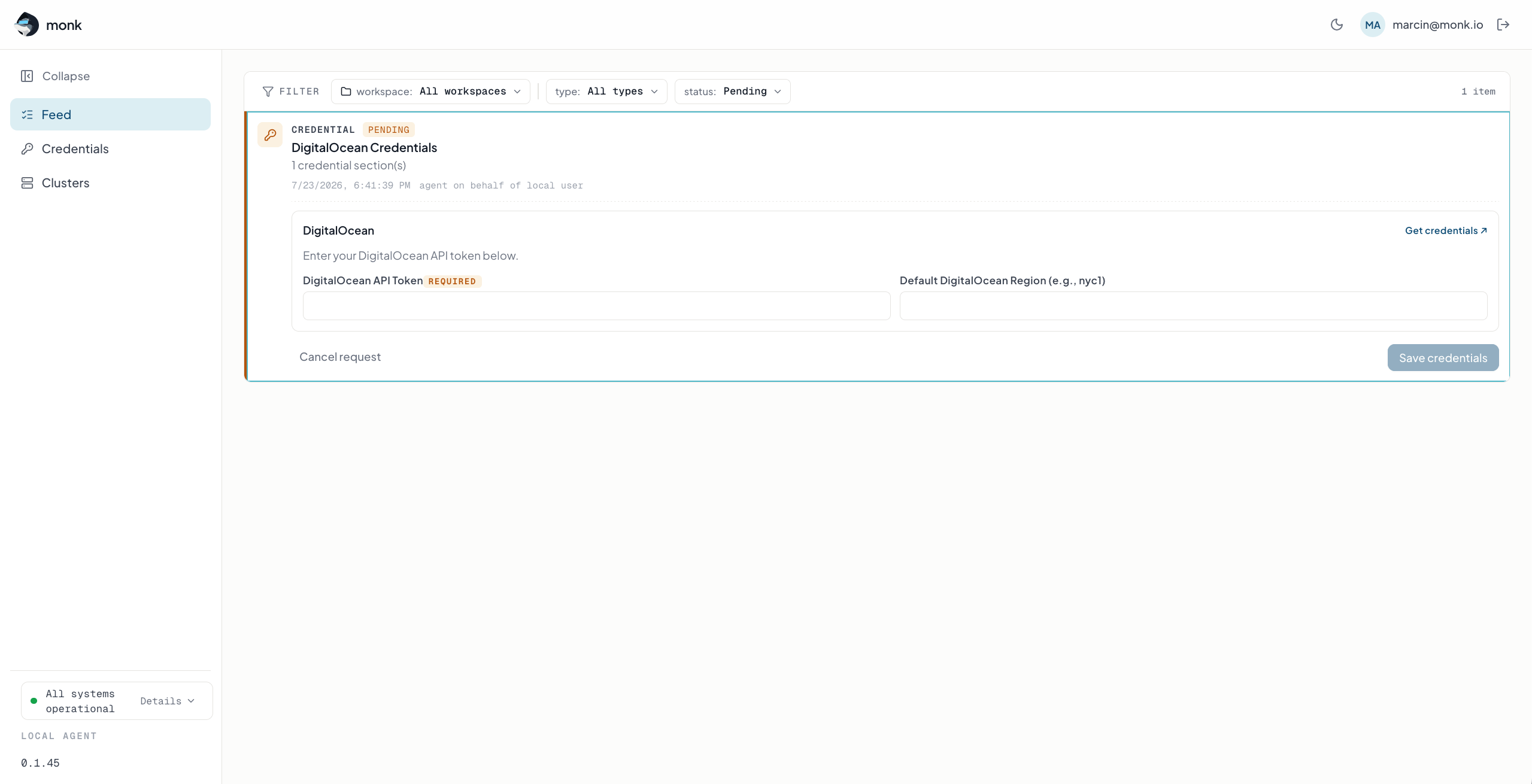 ## Feed
The home screen. Everything waiting for you shows up here as an actionable item:
**Approvals** — accept or deny a privileged action the agent wants to take, such as deploys, cluster changes, or deletions.
**Credential requests** — provider forms for AWS, GCP, Azure, DigitalOcean, Hetzner, and service integrations. Enter values manually, authorize via the provider's OAuth flow, or upload a credentials JSON file (GCP, Azure) that fills the form for you.
**Secret prompts** — single values like database passwords, with a generator for secure random values.
**TLS certificates** — add domains and upload PEM certificates and keys.
Resolved items stay as history you can clear.
## Credentials
Your local vault view. Add or update secrets at a chosen scope (this workspace, all workspaces, or cluster scopes: account, org, project, environment) and see everything that is stored, grouped by scope. Values live in your OS keychain locally and encrypted via cloud KMS on clusters.
## Clusters
The saved clusters the agent knows about, with reachability, provider, and region. Select the active cluster, forget a record, or delete a cluster (delete asks for confirmation through the Feed). Creating a cluster opens a full review form — provider, region, instance type and count, optional GPUs — that you approve before anything is provisioned.
## Status
The bottom of the sidebar shows agent health at a glance: sign-in state, runtime reachability, install status, and the agent version. If something is off, `/monk check installation status` in your coding agent usually fixes it.
See where the dashboard appears in the deploy flow
## Feed
The home screen. Everything waiting for you shows up here as an actionable item:
**Approvals** — accept or deny a privileged action the agent wants to take, such as deploys, cluster changes, or deletions.
**Credential requests** — provider forms for AWS, GCP, Azure, DigitalOcean, Hetzner, and service integrations. Enter values manually, authorize via the provider's OAuth flow, or upload a credentials JSON file (GCP, Azure) that fills the form for you.
**Secret prompts** — single values like database passwords, with a generator for secure random values.
**TLS certificates** — add domains and upload PEM certificates and keys.
Resolved items stay as history you can clear.
## Credentials
Your local vault view. Add or update secrets at a chosen scope (this workspace, all workspaces, or cluster scopes: account, org, project, environment) and see everything that is stored, grouped by scope. Values live in your OS keychain locally and encrypted via cloud KMS on clusters.
## Clusters
The saved clusters the agent knows about, with reachability, provider, and region. Select the active cluster, forget a record, or delete a cluster (delete asks for confirmation through the Feed). Creating a cluster opens a full review form — provider, region, instance type and count, optional GPUs — that you approve before anything is provisioned.
## Status
The bottom of the sidebar shows agent health at a glance: sign-in state, runtime reachability, install status, and the agent version. If something is off, `/monk check installation status` in your coding agent usually fixes it.
See where the dashboard appears in the deploy flow