

What It Does
Monk tracks the cost of your entire infrastructure in real-time. Ask for current costs, projections, or comparisons. Monk knows the price of every resource across all cloud providers and integrations.How It Works
Cost Knowledge Base
Monk maintains up-to-date cost information for cloud resources. What Monk tracks:- Cloud provider pricing - Current rates from AWS, GCP, Azure, DigitalOcean, Hetzner
- Resource uptime - How long each resource has been running
- Integration pricing - Costs for databases, essential services, and APIs that implement cost estimation
- Usage-based pricing - Data transfer, storage, API calls where applicable
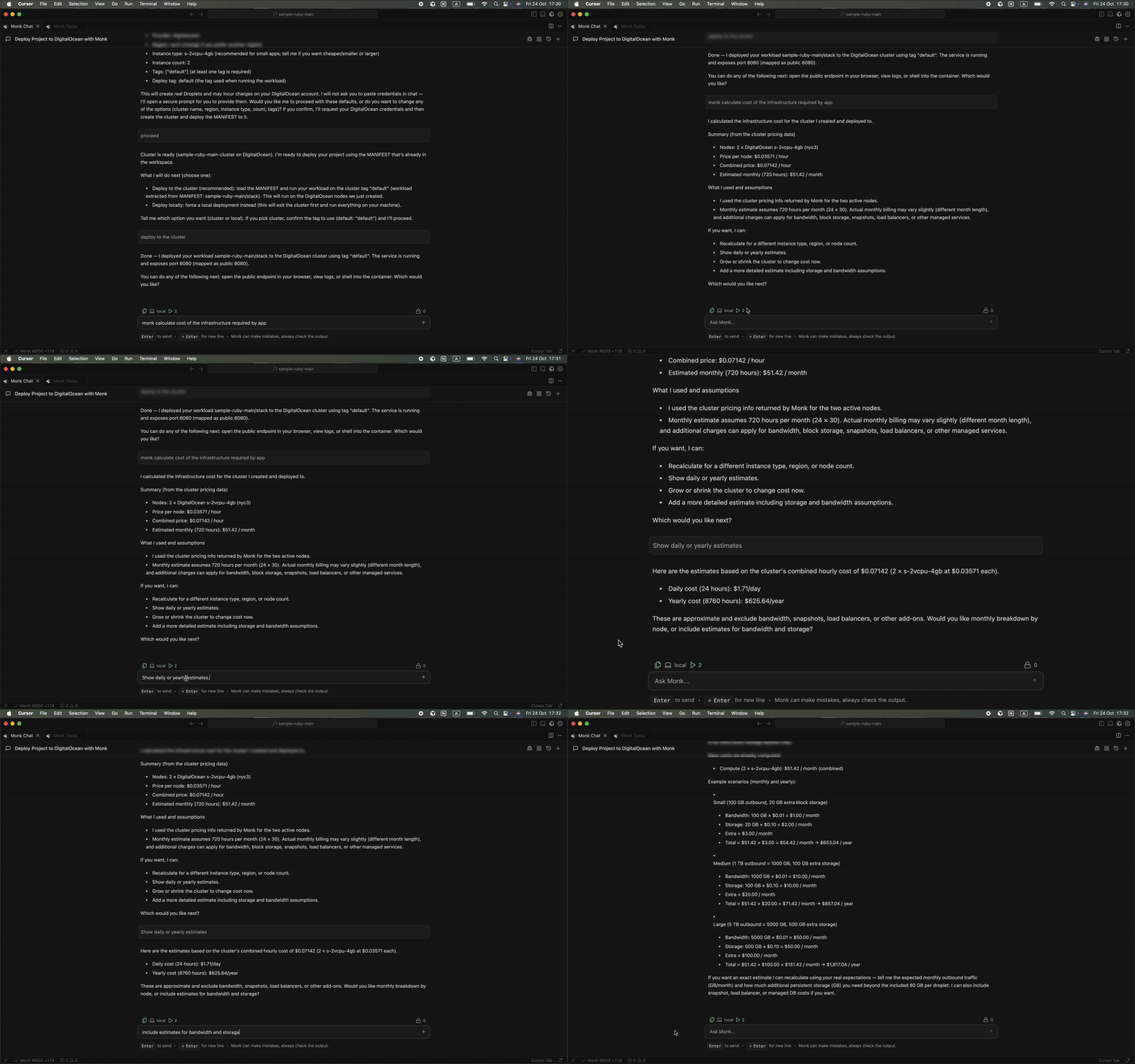
Real-Time Cost Queries
Ask Monk for cost information anytime via chat in your coding agent. Current costs:Cost Projections & Estimates
You want to know future costs. Ask Monk to project. Monthly projections:Integration Cost Support
Many integrations implement Monk’s cost estimation interface. Supported:- Cloud-managed databases - RDS, Cloud SQL, Azure Database, DigitalOcean Managed Database
- Cloud storage - S3, Cloud Storage, Azure Blob, DigitalOcean Spaces
- Managed caches - ElastiCache, Memorystore, Redis Cloud
- Third-party services - MongoDB Atlas, Redis Cloud, Neon, and more
- Core cloud resources (VMs, storage, networking) - Fully tracked
- Popular managed services - Some tracked
- Specialized integrations - Varies (we’re working to cover all of them)
Integration cost tracking: Coverage is continuously improving. Check with
Monk to see if a specific service supports cost estimation, or refer to
Integrations for details.
Cost Comparison (Hypothetical Resources)
Here’s where it gets interesting. Monk understands costs of resources you’re not even using. Want to know if switching clouds or regions would save money? Just ask.- Before deployment - Compare clouds to choose the most cost-effective
- Migration planning - See if migrating would save money
- Region selection - Pick the cheapest region for your needs
- Optimization - Evaluate alternatives to reduce costs
Coming Soon
Proactive cost analysis — 24/7 monitoring, optimization proposals, autonomous execution, budget alerts — is on the roadmap. Vote on what to prioritize.
Related Features
Cloud Infrastructure
The resources Monk tracks costs for.
Workload Migration
Migrate to a cheaper cloud when the numbers say so.